
Overview
Beyond sending simple text replies, RCS for Business Messaging supports a variety of structured Suggested Actions that allow users to interact with a business in a more meaningful way. These actions can be embedded within Quick Replies and allow users to perform tasks like opening a web page, dialing a number, or navigating to a location directly from the conversation.
Unlike a standard Quick Reply which sends a text response, when a user clicks a button with one of these suggested actions, the action is performed on the user's device and no corresponding text response is sent to the agent in the Agent Workspace.
Each action is defined within a button's click object.
Action Types
Each action object in the actions array has a type property that specifies the action to be performed.
Link Action
This action opens a URL in a browser or webview, or opens the device's default dialer with a specified phone number.
JSON Properties
| Property | Description | Type | Required |
|---|---|---|---|
| type | Must be link. |
String | Y |
| uri | The URL to open (e.g., https://example.com) or the telephone URI (e.g., tel:+15551234567). |
String | Y |
| target | For HTTP URLs, specifies where to open the link. Can be blank (external browser), self (full-screen webview), or slideout (half-screen webview). This is not used for tel: URIs. |
String | N |
Examples
Opening a link in a new browser tab:
{
  "type": "button",
  "tooltip": "Open this link",
  "title": "Open this link",
  "click": {
    "actions": [
      {
        "type": "link",
        "uri": "https://www.liveperson.com",
        "target": "blank"
      }
    ]
  }
}
Dialing a phone number:
{
  "type": "button",
  "tooltip": "Dial this number",
  "title": "Dial this number",
  "click": {
    "actions": [
      {
        "type": "link",
        "uri": "tel:+13125551234"
      }
    ]
  }
}
Navigate Action
This action opens the user's default map application to a specified geographical location.
JSON Properties
| Property | Description | Type | Required |
|---|---|---|---|
| type | Must be navigate. |
String | Y |
| la | The latitude of the location. | Number | Y |
| lo | The longitude of the location. | Number | Y |
Example
{
  "type": "button",
  "tooltip": "Navigate to location",
  "title": "Navigate to location",
  "click": {
    "actions": [
      {
        "type": "navigate",
        "la": 41.8,
        "lo": -87.6
      }
    ]
  }
}
Example in a Quick Replies context
Below is an image of a Suggested Actions template showing three actions: a dial action, an open URL action, and a view location action.
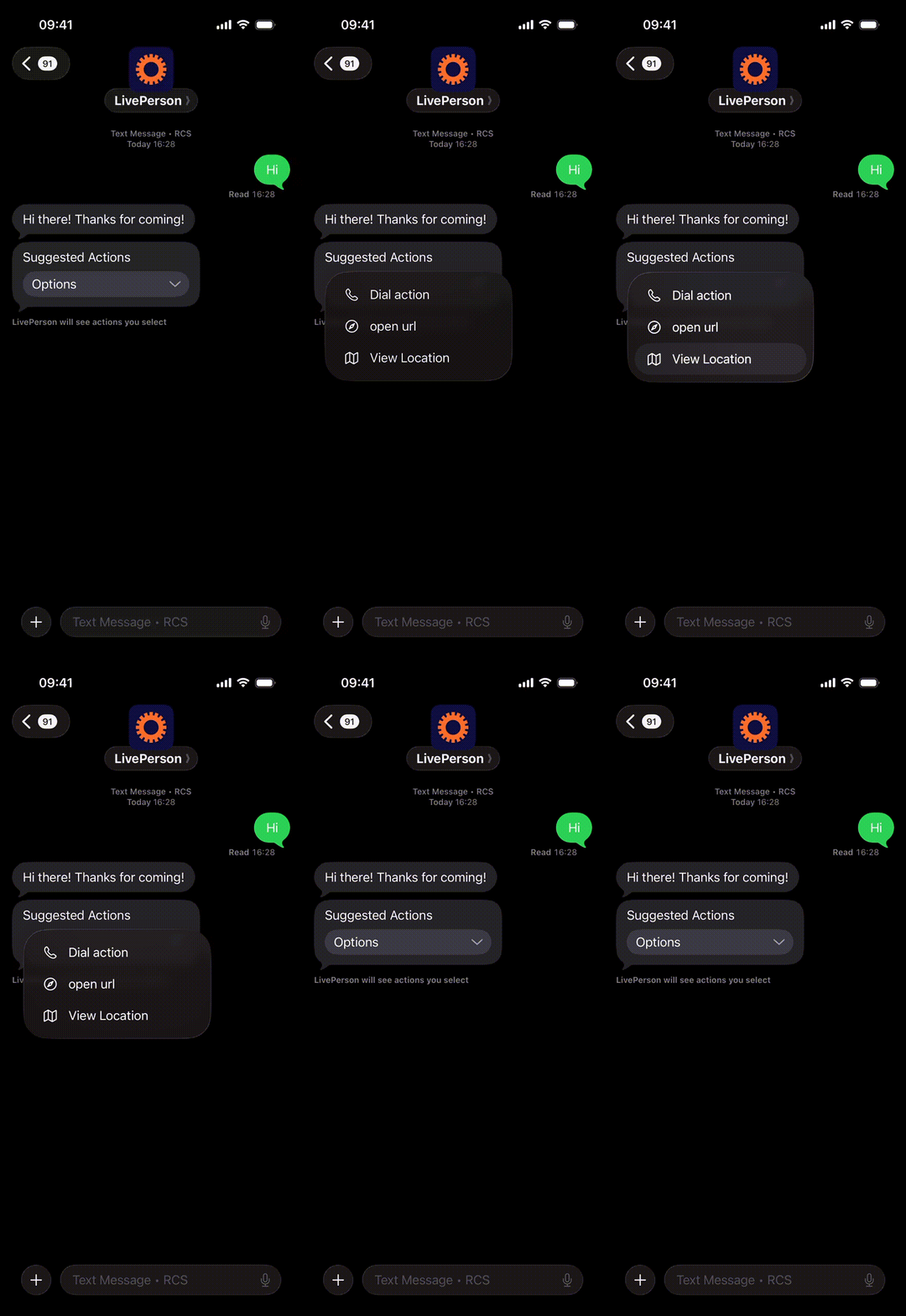
Here is an example of a quickReplies object that uses a variety of these suggested actions. Note that publishText is also an action type, documented in the Quick Replies Template.
{
  "type": "quickReplies",
  "itemsPerRow": 8,
  "replies": [
    {
      "type": "button",
      "tooltip": "Dial this number",
      "title": "Dial this number",
      "click": {
        "actions": [
          {
            "type": "link",
            "uri": "tel:+13125551234"
          }
        ]
      }
    },
    {
      "type": "button",
      "tooltip": "Open this link",
      "title": "Open this link",
      "click": {
        "actions": [
          {
            "type": "link",
            "uri": "https://www.liveperson.com",
            "target": "blank"
          }
        ]
      }
    },
    {
      "type": "button",
      "tooltip": "Navigate to location",
      "title": "Navigate to location",
      "click": {
        "actions": [
          {
            "type": "navigate",
            "la": 41.8,
            "lo": -87.6
          }
        ]
      }
    }
  ]
}
Limitations
- The
titlefor each button is limited to 25 characters. - The number of buttons is also limited by the container they are in (e.g., a Quick Reply can have up to 11 buttons).