
The LivePerson Functions Alerting feature helps you monitor your functions and improves visibility into the platform. It allows you to configure alerts based on metrics like the number of function errors or the average response time. When a configured threshold is crossed, the system sends an email to predefined recipients.
Creating an alert
You can manage alerts from the Alerting tab within your function's detail view. To begin, click Create an alert.
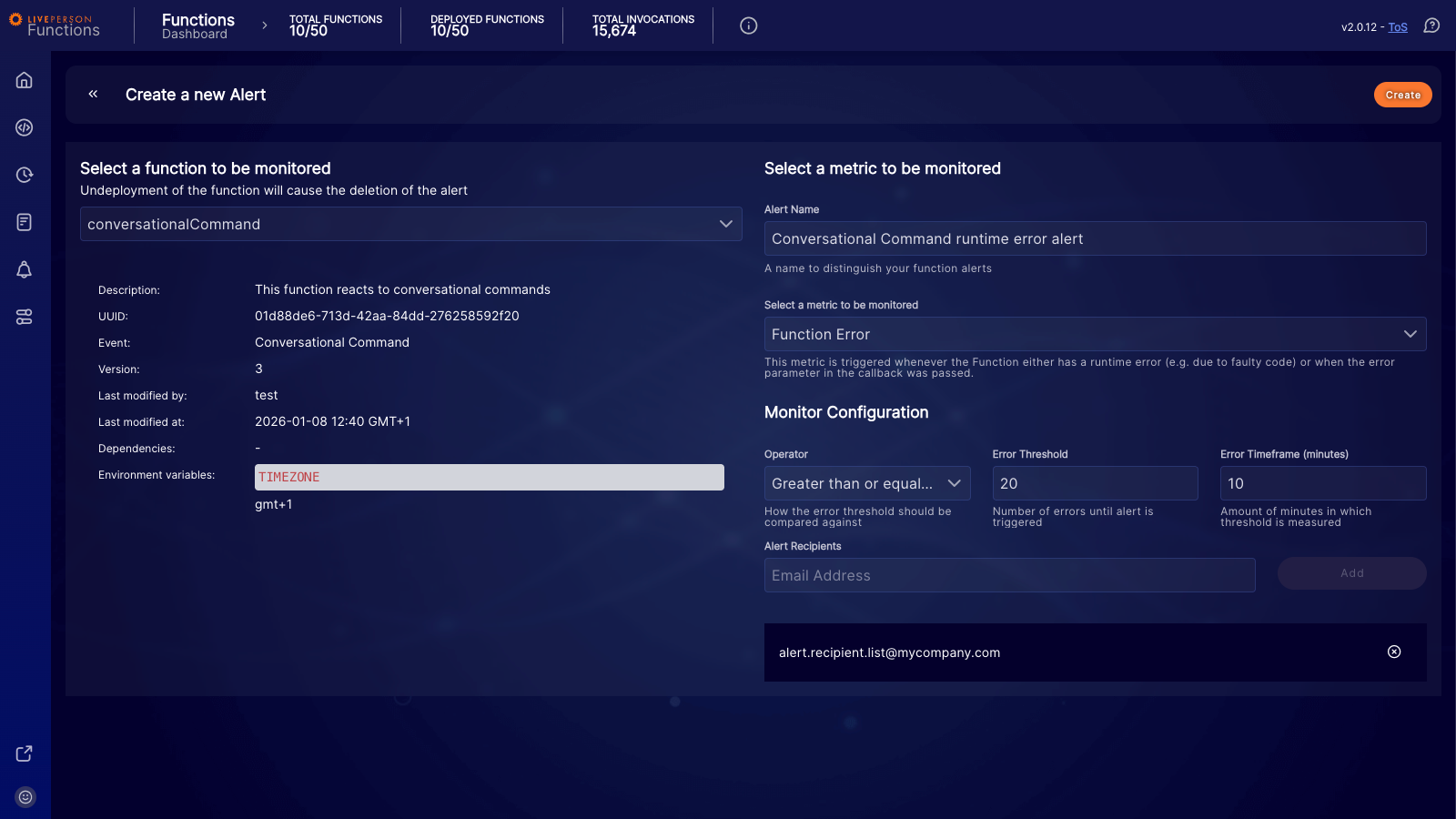
On the "Create a new Alert" page, you first select a function to monitor. Once selected, you can configure the specific metrics and conditions for the alert.
Alert configuration properties
| Property | Description |
|---|---|
| Alert Name | A descriptive name for your alert to distinguish it from others. |
| Metric to be monitored | The metric that will be evaluated. See the "Types of Metrics" section below for more details. |
| Operator | The comparison operator — for example, Greater than or equal or Less than — used to evaluate the metric against the threshold. |
| Error Threshold | The value that the metric is compared against. For a Function Response Delay alert, this value must be between 1 and 30. For all other metrics, it must be between 1 and 999. |
| Error Timeframe (minutes) | The time window in which the metric is measured. This can be between 10 and 60 minutes. |
| Alert Recipients | A list of email addresses that will receive a notification when the alert is triggered. |
Types of metrics
| Metric | Description |
|---|---|
| Function Error | Triggers based on the number of failed invocations where the function's code returned an error. This does not include timeout errors. |
| Function Timeout Error | Triggers based on the number of function timeout errors. |
| Function Response Delay | Triggers based on the average response time of successful invocations. Functions that time out are not included in this metric. |
Evaluation
Configured alerts are evaluated periodically. An alert is triggered if the evaluation determines that the metric has crossed the configured threshold within the specified timeframe — for example, if the number of errors is greater than the threshold in the last 10 minutes. Each time an alert is triggered, an email is sent to the predefined recipients.
If there are no invocations for the function, or if the number of errors is 0, an alert will not be triggered. For example, an alert configured to fire when errors are Less than 5 will not fire if there are no errors at all.
Alert history
You can find the history of triggered alerts on the Alerting tab by clicking on a configured alert's name.
Limitations
- You can configure a maximum of 3 alerts per function.
- You can create a maximum of 50 alerts in total for your account.