
Configuration enables you to customize function behavior and manage sensitive data without modifying your code. This guide covers environment variables, secrets, and available dependencies.
Environment variables
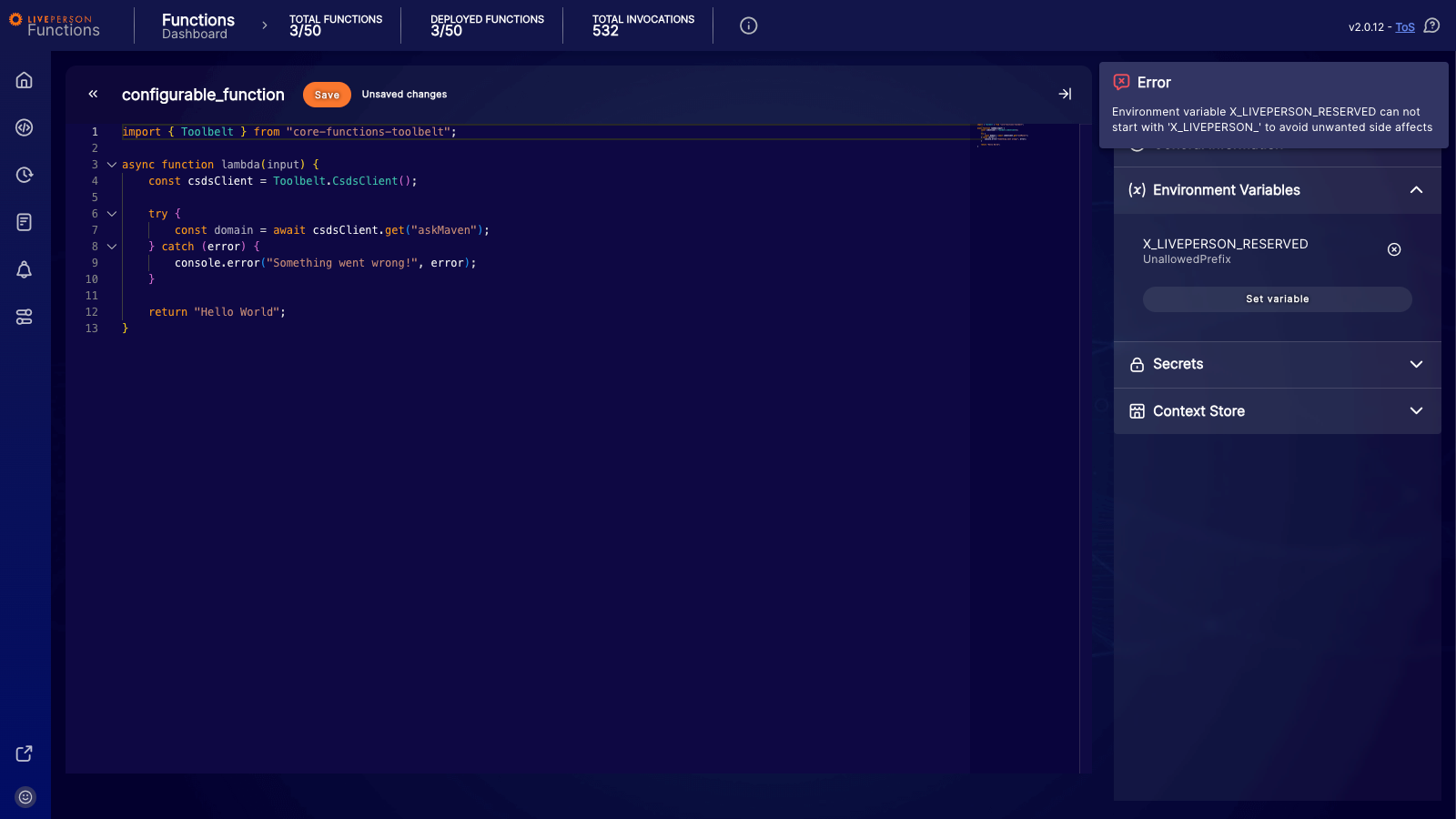
You can use environment variables to make your function more configurable without adjusting the code. You can access environment variables at runtime using the process.env.NAME_OF_ENV property. There are certain reserved environment variables that cannot be overridden or redefined. Specifically, any variable name starting with the prefixes X_LIVEPERSON_ or X_GOOGLE_ is reserved. If you attempt to add a variable with one of these prefixes, the function will fail to save, and an error message will be displayed.
For a detailed list of limits regarding environment variables, please refer to the Limitations page.
Creating and modifying environment variables
Deployment: Modifying an environment variable via the UI will not directly take effect on a running function. You must successfully redeploy the function for the updated environment variables to become active.
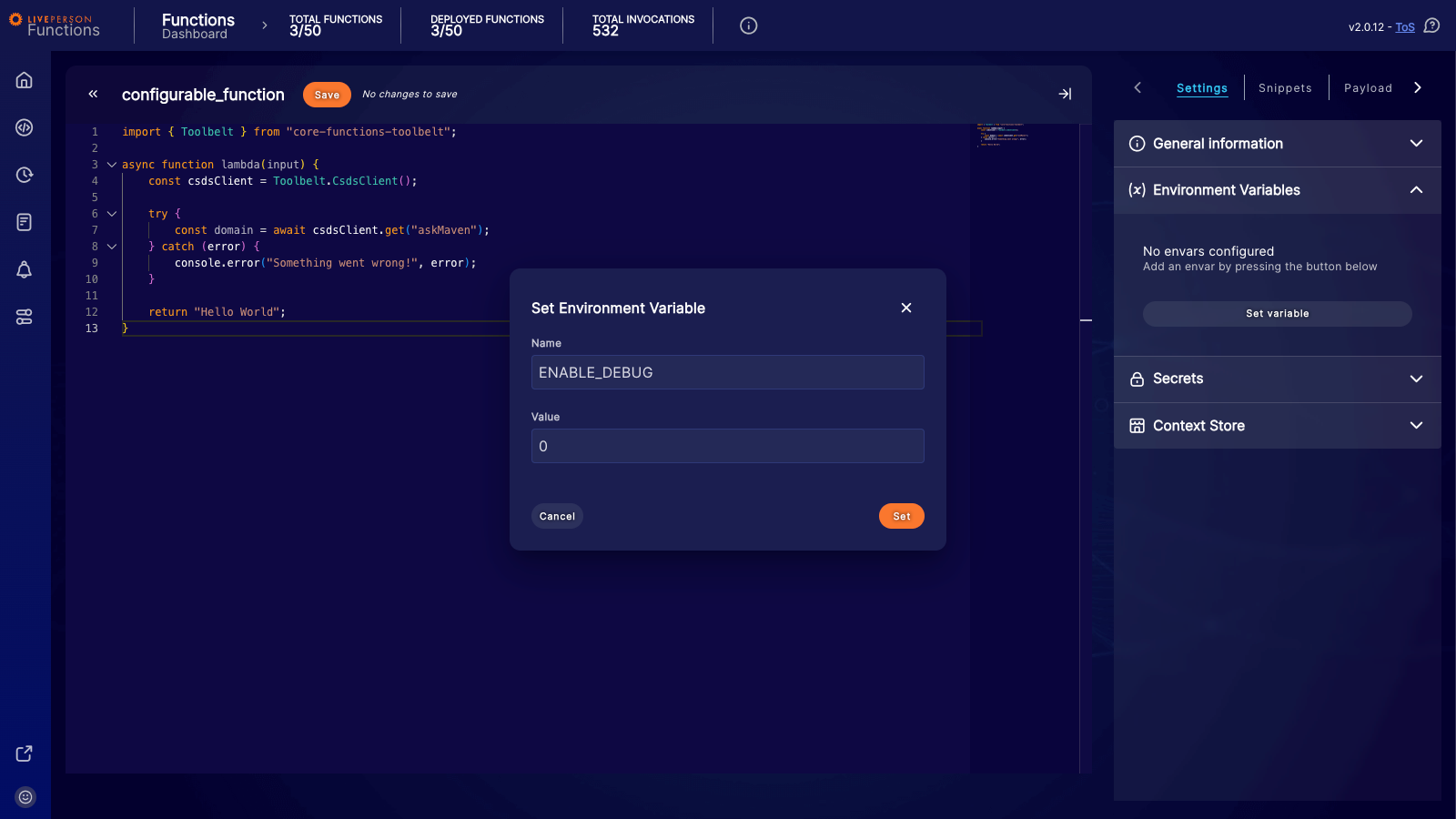
You can add new environment variables or modify existing ones using the "Set variable" button or by selecting an existing variable in the side panel of the editor. This opens a dialog where you can set the Name and Value for your environment variable. The name must strictly follow this pattern: it must start with a letter or an underscore, and the subsequent characters can only be letters, numbers, or underscores.
Accessing environment variables
Your configured environment variables are accessible at runtime via the process.env object, for example, process.env.NAME_OF_ENV.
All environment variables are stored as strings. Even if you enter a number, it will be treated as a string within the function's environment.
If you need to use an environment variable as a number (e.g., for calculations or limits), you must convert it from a string to a number within your code (e.g., using parseInt or Number()).
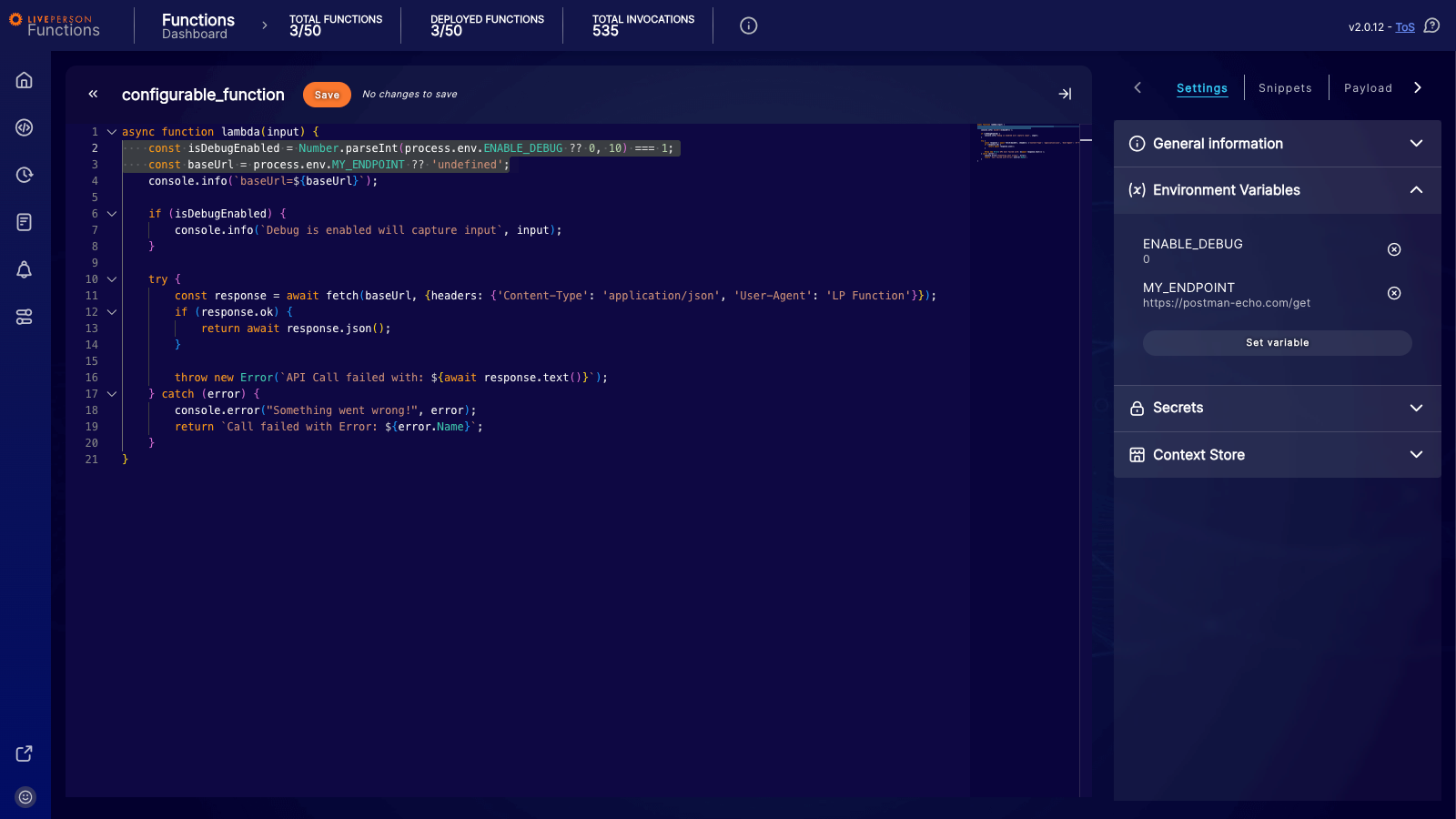
As shown in the example above:
-
process.env.ENABLE_DEBUGis accessed. Since it is stored as a string, it is parsed into an integer to be used in logic checks. -
process.env.MY_ENDPOINTis used directly as a string.
Dynamic Variables: Any environment variable added dynamically within the code (e.g., process.env.DYNAMIC = 'hello world';) is local to that specific instance or invocation of the function. It is not synced across other running instances.
Secrets
We discourage storing credentials that cannot be easily revoked, like passwords. Where possible, use token-based authentication methods instead.
Secrets provide a secure way to store sensitive information, such as access tokens for external APIs. You can manage your secrets directly from the Settings tab within the Functions dashboard. For a detailed guide on creating and managing secrets, please refer to the Secrets documentation.
Accessing secrets at runtime
To access secrets within your function, you can use the SecretClient provided by the Toolbelt. This client allows you to read and update secrets securely during runtime.
Secrets are cached by default to improve performance. If you require the most up-to-date value immediately (bypassing the cache), you can set the useCache option to false.
Reading a secret
import { Toolbelt } from "core-functions-toolbelt";
// Initialize the SecretClient
const secretClient = Toolbelt.SecretClient();

try {
  // Read a secret by its key
  // By default, this uses the cache
  const secret = await secretClient.readSecret("YOUR_SECRET_KEY");
  console.info(`Secret value: ${secret.value}`);

  // Example: Reading a secret bypassing the cache to get the latest version
  const freshSecret = await secretClient.readSecret("YOUR_SECRET_KEY", { useCache: false });
  console.info(`Fresh secret value: ${freshSecret.value}`);
} catch (error) {
  console.error(`Failed to read secret: ${error.message}`);
}
Updating a secret
import { Toolbelt } from "core-functions-toolbelt";
const secretClient = Toolbelt.SecretClient();

try {
  // Update an existing secret
  await secretClient.writeSecret({
    key: "YOUR_SECRET_KEY",
    value: "NEW_SECRET_VALUE"
  });
  console.info("Secret updated successfully.");
} catch (error) {
  console.error(`Failed to update secret: ${error.message}`);
}
Dependencies
Functions include a predefined set of libraries. You cannot add custom dependencies. The following libraries are available:
| Dependency Name | Documentation |
|---|---|
| core-functions-toolbelt | Toolbelt Documentation |
| jsonwebtoken | https://www.npmjs.com/package/jsonwebtoken |
| luxon | https://moment.github.io/luxon/#/?id=luxon |
| es-toolkit | https://es-toolkit.dev |
| @jsforce/jsforce-node | https://jsforce.github.io/ |