
This document outlines the LivePerson Functions V2 permission system, detailing roles and their allowed actions.
LivePerson Functions V2 uses three core user permissions:
- FaaS-Admin: Grants administrative control. Users can manage secrets, schedules, and alerting, and have read access to all components, including functions, logs, and reporting. Account administrators have this permission enabled by default.
- FaaS-Developer: Provides comprehensive development access. Users can create, manage, deploy, and invoke functions, manage schedules and alerting, and read secrets (name only), logs, and reporting.
- FaaS-Invocation: Allows function execution. Users can read and invoke functions but cannot create or modify them. The Agent profile has this permission enabled by default.
Default Permissions by Role
Only the Administrator role has all Function permissions enabled by default, as described below.
Agent Manager roles have all Function permissions disabled by default. Agents can only have FaaS-Invocation permissions.
| Permission name | Agent | Agent Manager | Campaign Manager | Admin |
|---|---|---|---|---|
| FaaS-Admin | ❌ | 🔒 | ❌ | ✅ |
| FaaS-Developer | ❌ | 🔒 | ❌ | ✅ |
| FaaS-Invocation | 🔒 | 🔒 | ❌ | ✅ |
To grant Functions-related permissions to non-Administrator roles, manage the user profile permissions from the User Management tab in your LivePerson account.
Table Legend
- ❌: Permission is Not available for the role.
- 🔒: Permission is disabled by default but can be enabled.
- ✅: Permission is available and enabled.
Permissions details
| Component | Action | FaaS-Admin | FaaS-Developer | FaaS-Invocation |
|---|---|---|---|---|
| function | read | ✅ | ✅ | ✅ |
| function | create/edit/delete | - | ✅ | - |
| function | deploy/undeploy | - | ✅ | - |
| function | invoke | - | ✅ | ✅ |
| secret | create/edit/delete | ✅ | - | - |
| secret | read (name only) | ✅ | ✅ | - |
| schedule | read | ✅ | ✅ | - |
| schedule | create/edit/delete | ✅ | ✅ | - |
| alerting | create/edit/read/delete | ✅ | ✅ | - |
| alerting | read | ✅ | ✅ | - |
| logs | read | ✅ | ✅ | - |
| reporting | read | ✅ | ✅ | - |
Only FaaS Developers or FaaS Admins can access the FaaS UI; FaaS Invokers cannot.
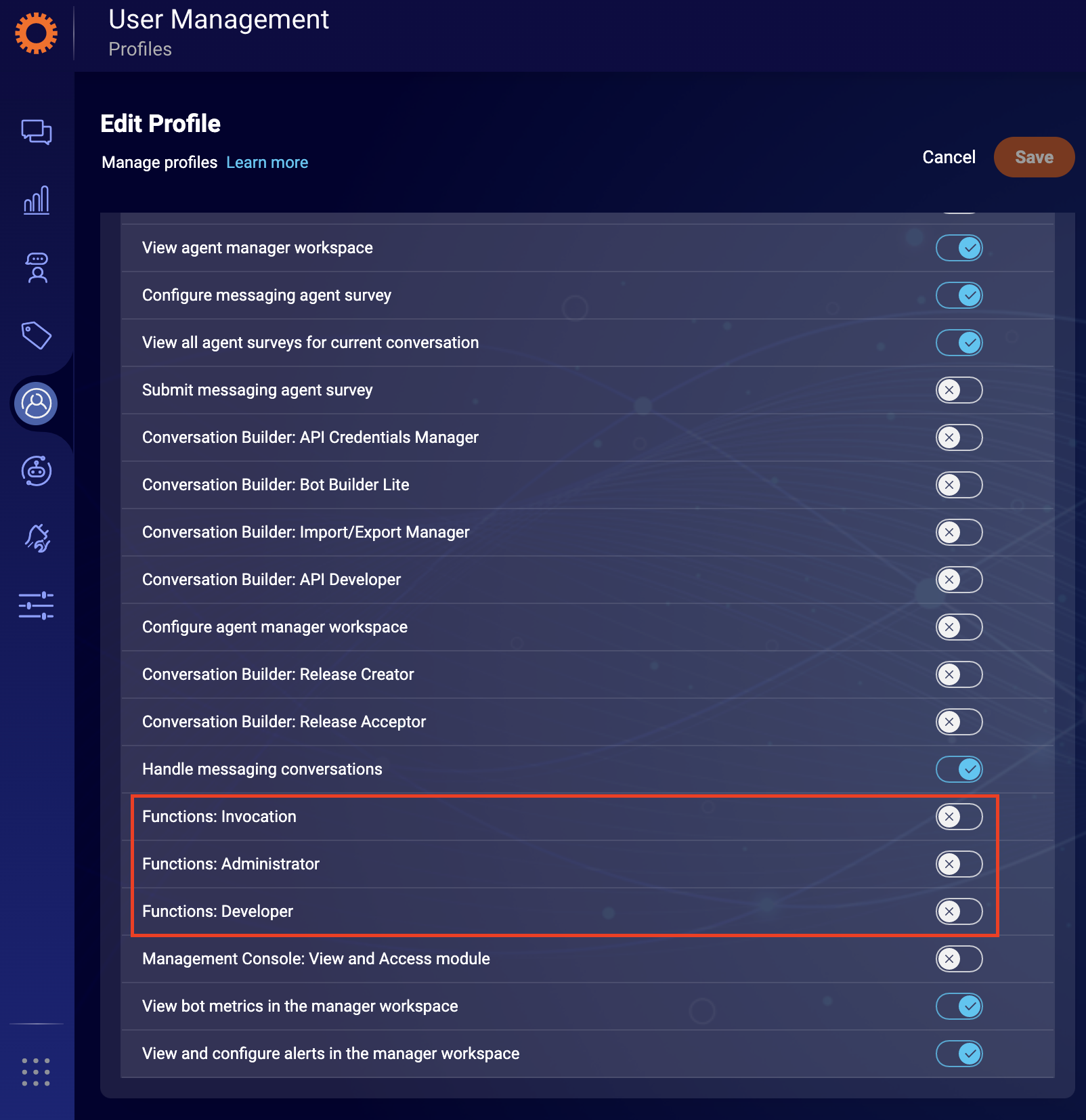
Configuring Permissions in Conversational Cloud
Configure LivePerson Functions permissions within the Conversational Cloud interface. For more details on adding permissions, refer to this guide.
Follow these simple steps:
- Navigate to the Users tab at the top of the Conversational Cloud UI.
- Click on Profiles.
-
Create/Edit an existing profile and assign the relevant
FaaS-*permission(s) to it.
Important Considerations
- Roles like "Agent" do not support FaaS Developer or FaaS Admin permissions. Use a different role if these permissions are required.
- The LivePerson Functions CLI operates under the same permission system. Ensure users utilizing the CLI have at least FaaS-Developer permission.
- Adhere to the security principle of least privilege: assign only the minimal permissions necessary for a user's tasks. For instance, if a user solely invokes functions, only FaaS-Invocation permission is required.