Synthetic customer
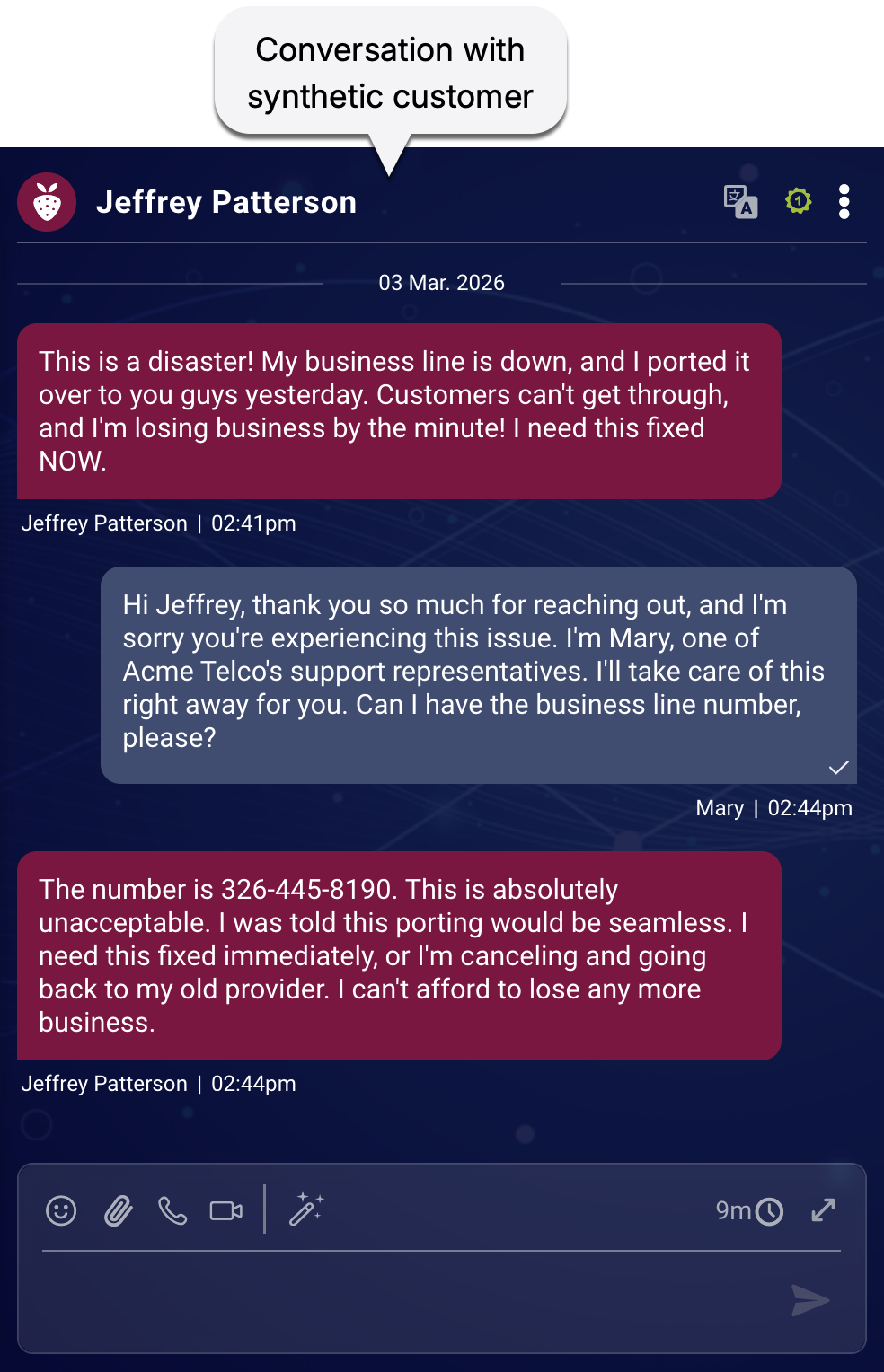
A synthetic customer is an AI agent designed to simulate real-world interactions and stress-test your customer service systems. Think of it as an "always ready" tester that can constantly probe for potential failures. Unlike traditional, rigid test scripts, a synthetic customer is dynamic. It adapts its conversation flow based on the responses it receives, mimicking the unpredictability and nuance of a human.
Why use synthetic customers?
Synthetic customers provide a safe, scalable, and tireless way to evaluate your AI and live agents. Use them to identify gaps in your service without ever risking real customer satisfaction or compromising sensitive privacy data.
The anatomy of a synthetic customer
At a fundamental level, every synthetic customer is built from a few core ingredients:
- A scenario: This provides the specific reason the customer is reaching out to your brand, as well as important context.
- An identity: This is optional. If provided, it gives the synthetic customer fixed, identifying attributes, such as a name and an email address.
- A persona: This defines the customer's communication style, personality, and behavior, for example, a frustrated long-term member versus a polite first-time caller.
How the simulation works
When you run a simulation, the system creates unique experiences by combining these elements. Here’s what happens behind the scenes for each simulated conversation:
- Scenario and persona selection: A scenario and a persona are retrieved from the simulation's configuration. (Learn how scenarios and personas are distributed across conversations.)
- Optional identity generation or selection: Depending on the simulation's configuration, the customer is given no identity (i.e., made anonymous), assigned a random identity (name, email, phone number, etc.), or assigned a predefined identity that's selected from the chosen scenario. (Learn how predefined identities are distributed across conversations.)
- Creation: The specific combination—the scenario, the persona, and optionally the identity—becomes the synthetic customer for the conversation.
If your agent workflows require agents to contact customers via email or phone—including SMS or voice-—use predefined identities with fixed contact data. They allow you to use real emails or phone numbers that you own and monitor.
Scenario
A scenario mirrors a real customer journey, outlining the specific objective that the synthetic customer is trying to achieve and the expected path of the conversation. It includes clear success criteria in the form of agent goals. "Business Line Blackout" or "Failed Fiber Upgrade" might be the names of two such scenarios.
Scenarios provide the structure and goals for your simulations, allowing you to test specific customer journeys and identify where your agents might deviate or fail.
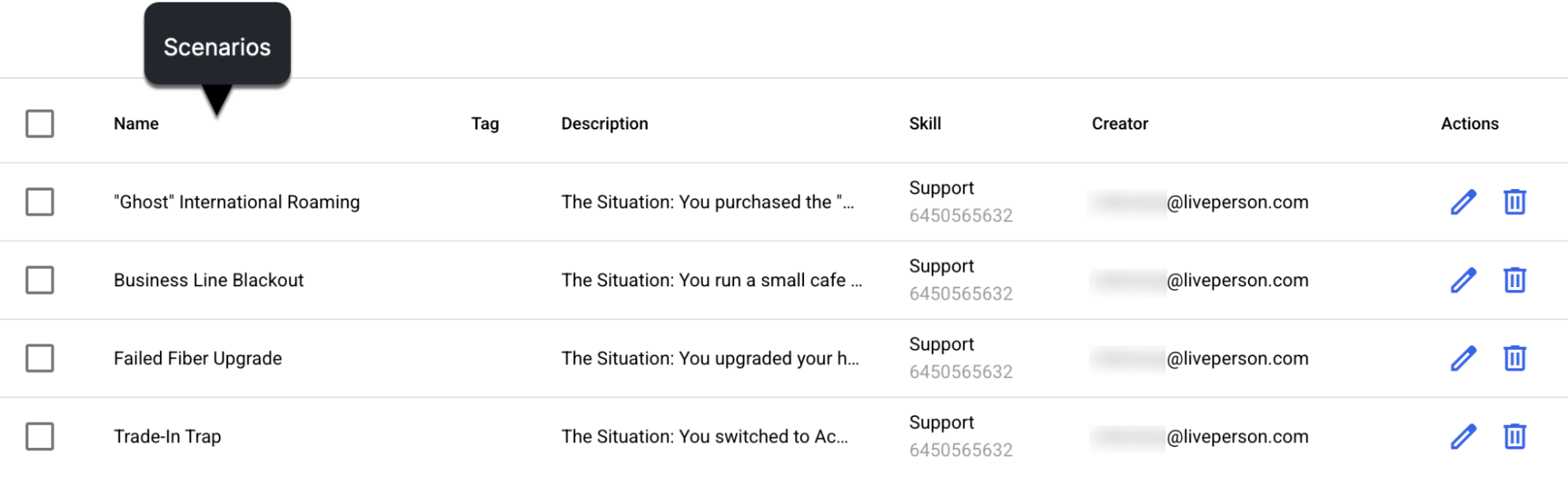
Example scenario
You signed up for the Premium Plan a couple of weeks ago. You were charged $49.99 but your account still shows the Free Plan features. You've already tried logging out and back in. You want this resolved immediately - either activate the features you paid for or give you a full refund.
Identity
Identities assign fictitious, fixed attributes—like names and emails—to synthetic customers. This allows a synthetic customer to appear in the agent's workspace as an authenticated user during a simulation.
You can create identities and assign them to specific scenarios based on the type of customer validation needed. While you can specify only a single identity in a scenario, you can reuse an identity across multiple scenarios.
Identities are a crucial requirement for running simulations where you want to discreetly audit live agent performance without disrupting your daily operations (e.g., mystery shopping). You can create an identity that matches a fictitious customer record in your CRM or training system—like "Jane Smith" at jsmith@outlook.com—and link the identity to a specific scenario, such as "Inquiring about Internet packages." When the conversation begins, your agent can pull up Jane’s data just as they would for a real customer, ensuring a seamless and authentic test of their skills.
If you don't want to create identities, the system can assign random ones or make the synthetic customers anonymous. You specify this when you run the simulation.
Persona
A persona gives the synthetic customer a distinct personality, communication style, and set of behaviors. Rather than just a label, a persona dictates how a synthetic customer reacts, phrases questions, and interacts with agents. By adjusting traits like tone (e.g., urgent, confused) or linguistic styles (e.g., brief sentences, frequent clarification), you can rigorously test an agent's ability to de-escalate conflict and handle diverse communication preferences.
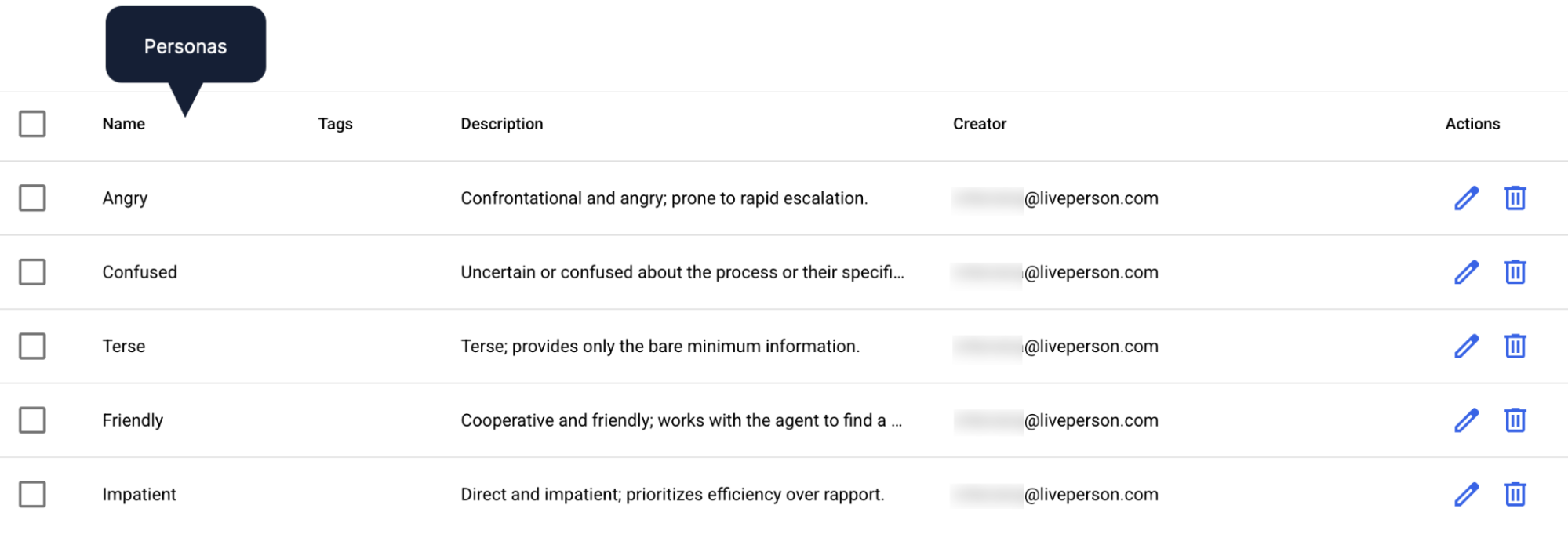
The core objective: Variance
Personas are used primarily to introduce necessary variance into testing and training environments. This ensures realism and builds resilience in three key areas:
- Authentic interaction: Without personas, synthetic customers often default to a bland, perfectly polite tone that is unrealistic. Personas introduce the quirks and inconsistencies of real people, better preparing your agent for actual customers.
- Stress-testing AI quality: While most AI agents handle straightforward inquiries well, personas test performance against vague, frustrated, or non-native speakers. This moves testing beyond the "happy path" to ensure the technology works in unpredictable, real-world conditions.
- Human-centric agent readiness: In reality, customers can be impatient or confused. Training agents with varied personas ensures they are equipped to handle the full spectrum of human temperament from day one.
Personas versus scenarios
If a scenario is the plot in the story, the persona is the actor. While the plot remains constant, the persona changes the interaction entirely. Combining these elements creates unique conversational paths that test agents in distinct ways.
For example, in a "negative" scenario like an internet outage, the persona dictates the energy of the resolution process:
- The friendly pragmatist: Focuses on the fix. Though inconvenienced, they remain professional, follow troubleshooting steps, and ask for logical timelines.
- The rude impatient: Leads with hostility. They frame delays as personal affronts and demand immediate answers instead of cooperating with a troubleshooting plan, adding emotional pressure to the technical problem.
While the agent goals (identifying the outage and providing a workaround) are the same, the soft skills required to manage each customer are worlds apart.
Synthetic customer profile
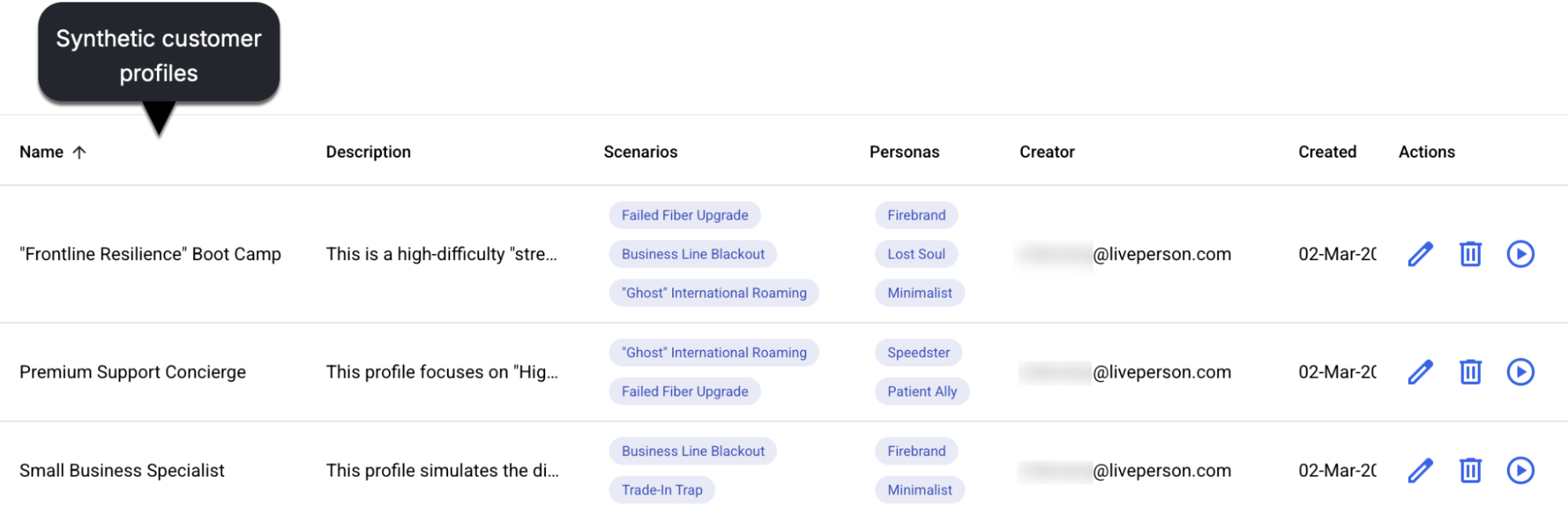
A synthetic customer profile is a curated combination of scenarios and personas that are packaged together for a specific simulation task. It’s essentially a test suite that’s ready for use in simulations.
Synthetic customer profiles allow for easy reuse and management of simulation setups. You can create one and quickly reuse it whenever needed.
Scorecard
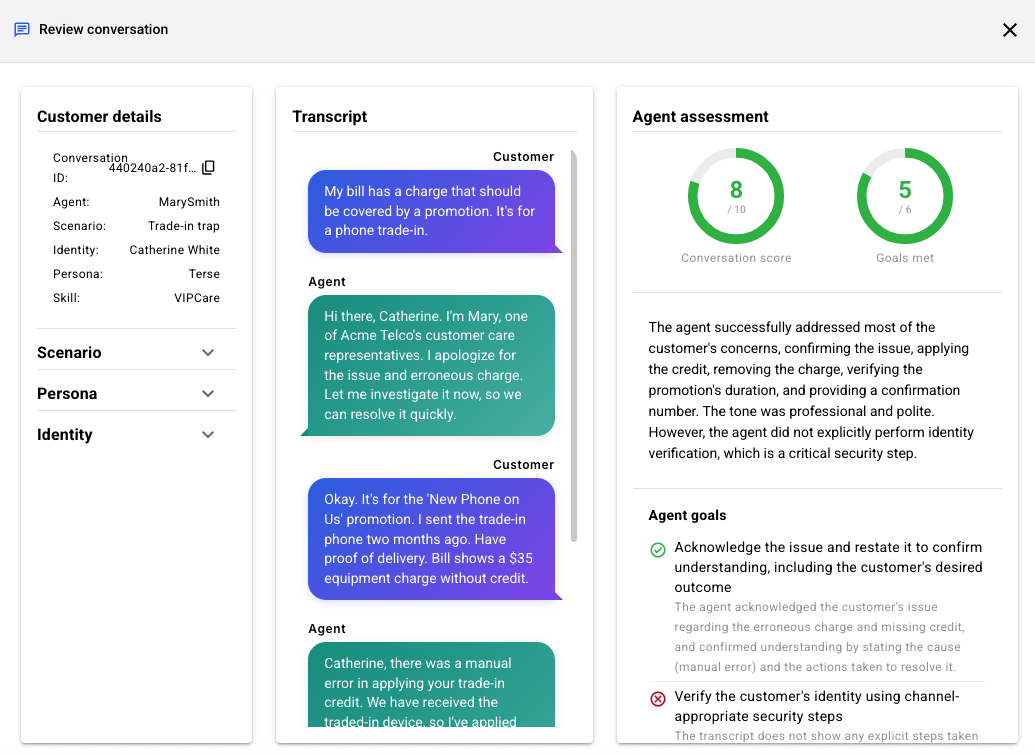
The scorecard is the evaluation rubric used across the Syntrix platform. It defines how agent performance is measured with regard to universal goals that are applicable across scenarios. (Scenarios have agent goals too, but they're specific to each scenario.)
For example, the scorecard is used to evaluate whether:
- The agent communicated in a polite and courteous manner.
- The agent delivered a warm and friendly welcome.
- The agent actively listened, that is, they demonstrated a clear understanding of the customer's concern before proposing a solution.
- And more
Scorecards are integral to the Syntrix assurance platform for several critical functions:
- Evaluation and consistency: Scorecards define the rubrics used during evaluation, ensuring consistent and explainable assessments that remain aligned with enterprise policies.
- Simulation and training: Scorecards are attached automatically to simulations to define evaluation criteria, aligning scoring with business priorities.
- Audit and governance: Scorecards define the criteria for generating compliance and performance findings.
- Conversation assessment: They facilitate scoring for each conversation. These scores are aggregated to generate comprehensive readiness scores.
LivePerson scorecard
In the current release, there is a single, non-customizable scorecard that's used behind the scenes to assess the performance of both AI and live agents. It's attached automatically to every simulation, offering a standardized benchmark of excellence.
Currently, it’s not possible to create custom scorecards.
Simulation
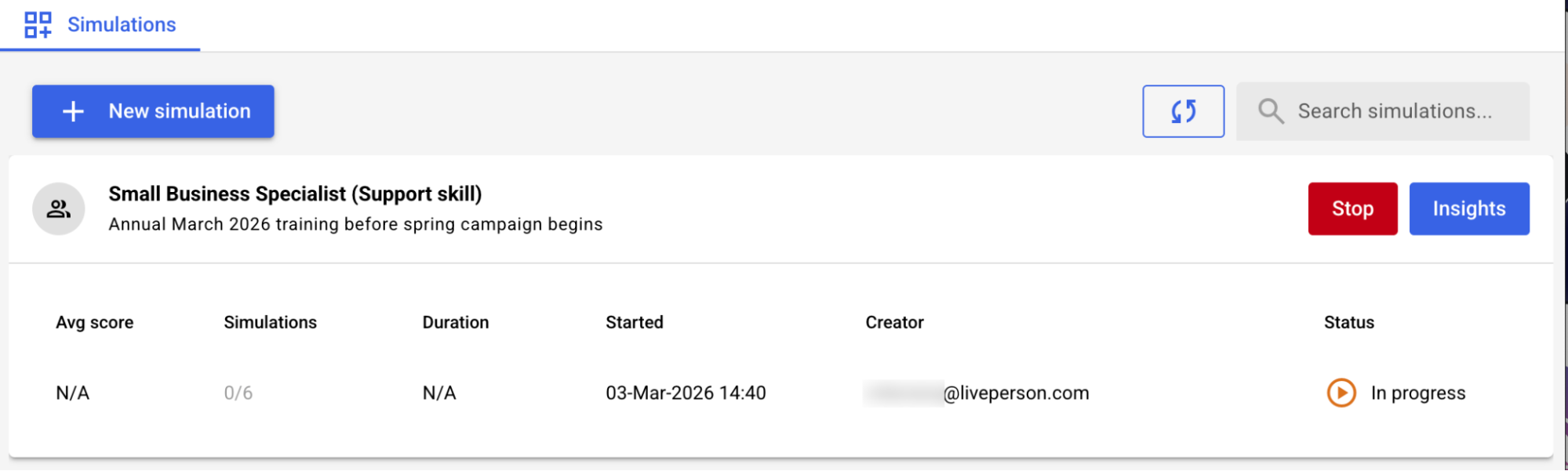
A simulation is the actual execution of a synthetic customer profile (or an explicitly selected scenario and persona). It's a real-time conversation between a synthetic customer and an agent (whether a live agent, an AI agent, or a conventional bot). These are the core events where your configurations come to life and interactions are recorded for analysis.
Simulations generate the valuable data and transcripts that allow you to analyze performance, identify issues, and validate improvements.
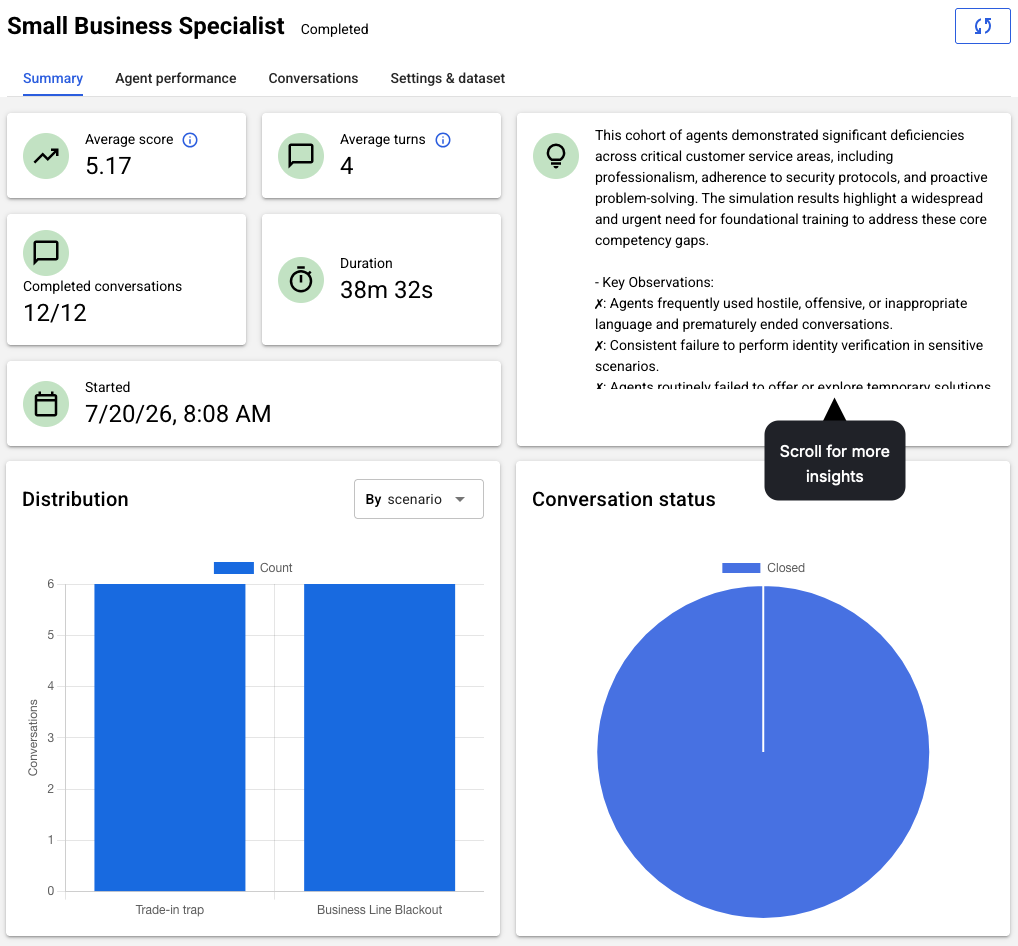
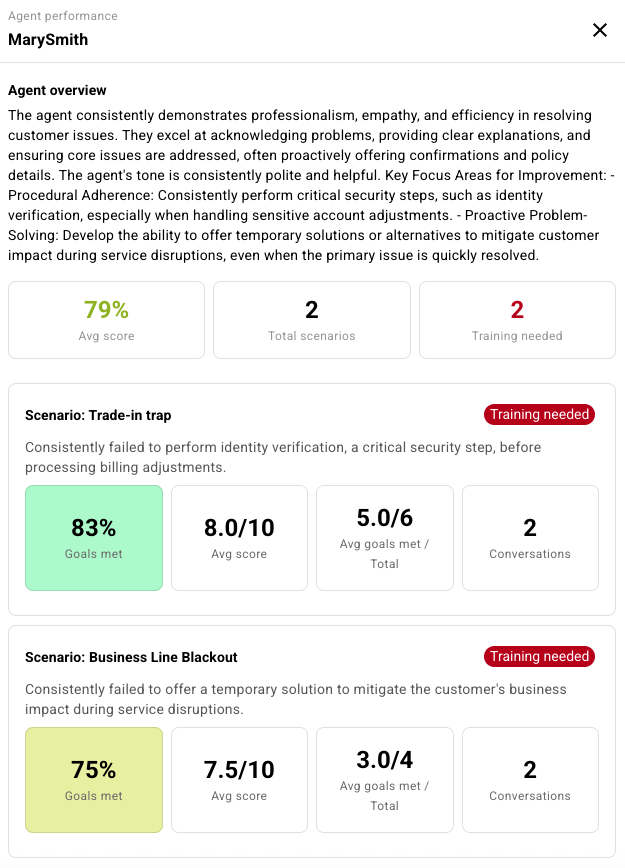
Report
The report is the result of using the evaluation rubric (the scorecard plus the agent goals defined in the scenario) to evaluate the conversations included in the simulation.
Whenever you run a simulation, you get a report.