
Learn about persona best practices.
Create a persona using AI
- On the left navigation bar, click Synthetic customer builder > Personas.
-
Click Add.
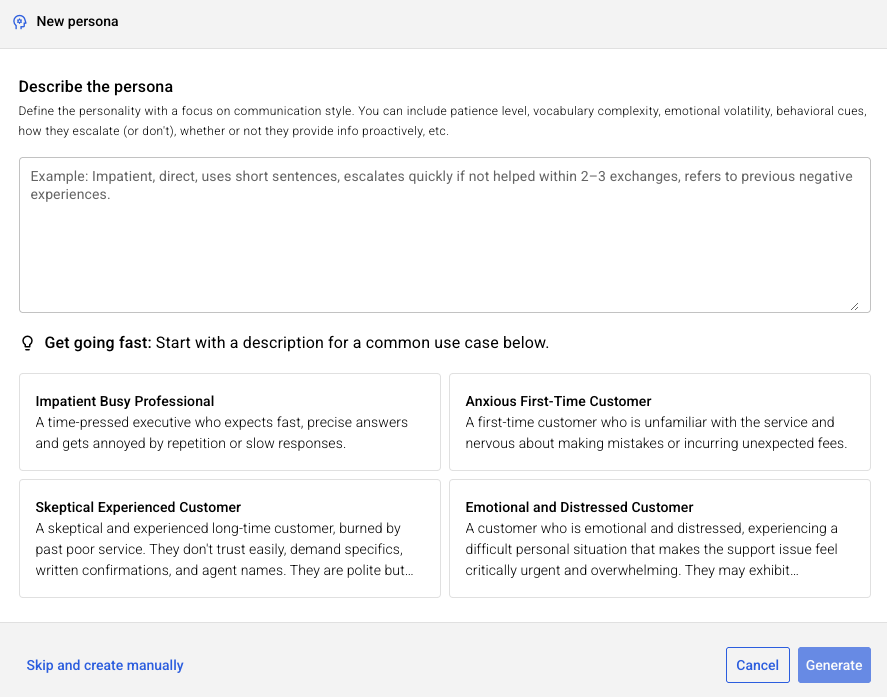
- Enter a few sentences that describes the personality with a focus on the communication style. You can include patience level, vocabulary complexity, emotional volatility, behavioral cues, how they escalate (or don't), whether or not they provide info proactively, etc. AI will generate the persona and all details.
-
Click Generate.
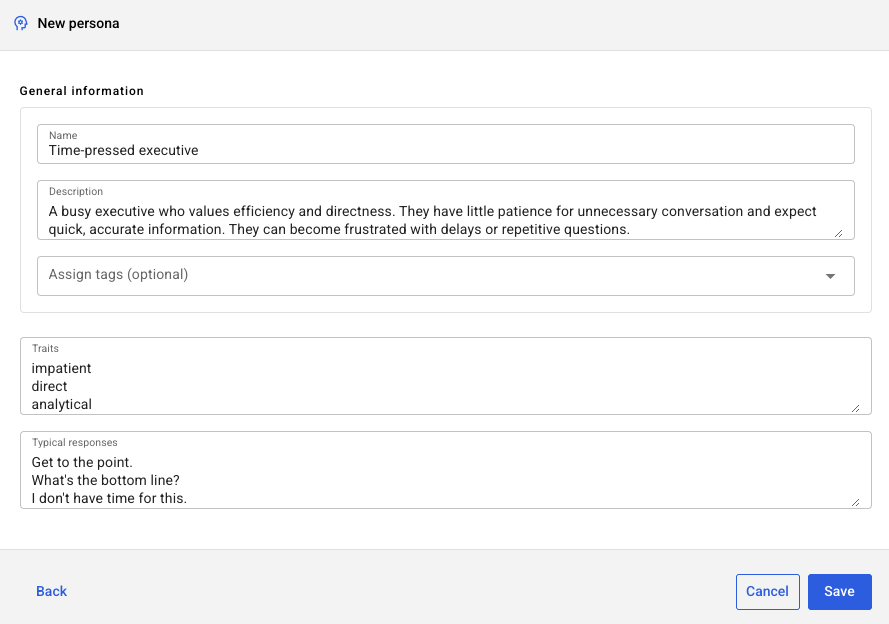
- Review the persona details to ensure they meet your requirements. Make any desired changes.
- Tags: Optionally associate tags with the persona. Tags facilitate rapid filtering and organization, allowing you to quickly identify personas based on specific technical topics, difficulty levels, teams or departments, or emotional complexity.
- Click Save.
Create a persona manually
- On the left navigation bar, click Synthetic customer builder > Personas.
- Click Add.
- In the lower-left corner of the window that appears, click Skip and create manually.
-
Specify the following:
- Name: This isn’t a person’s name, such as Jane Doe. It’s a name for the persona, such as “Angry Customer.”
- Description: Provide a robust description of the persona.
- Tags: Optionally associate tags with the persona. Tags facilitate rapid filtering and organization, allowing you to quickly identify personas based on specific technical topics, difficulty levels, teams or departments, or emotional complexity.
- Traits: Enter typical characteristics of a person of this type.
- Typical responses: Enter a series of typical comments made by the persona.
- Response speed: Choose how quickly this persona typically processes and replies to messages.
- Click Save.
Delete a persona
Before deleting a persona, ensure it isn't being used in a profile. If it is, this will render the profile unusable, so update the profile as needed beforehand.
- On the left navigation bar, click Synthetic customer builder > Personas.
- Move the cursor over the row for the persona that you want to delete, and click the delete icon that appears.
- Click Delete.