This article explains how to configure a bot so that you can test its transfer path without actually triggering the live transfer. Instead, information on the transfer is presented to the tester who is participating in the conversation.
-
Add an environment variable to the environment connected to the bot called something like "tstFlg" or "testFlag," and set it to
false.Change this environment variable to
truewhenever you want to turn on this testing mode.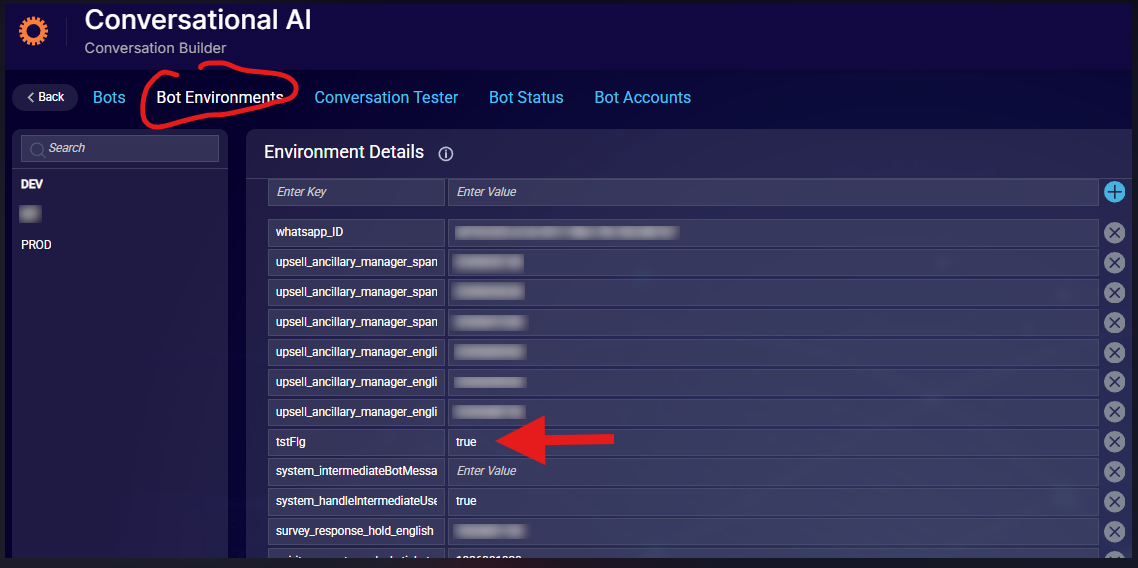
-
In the Pre-Process Code of the transfer interaction, check the environment variable's value by pulling it from the environment using the getEnvVariable scripting function. If
true, this check moves the bot to the next interaction, which is a text interaction and not the transfer interaction.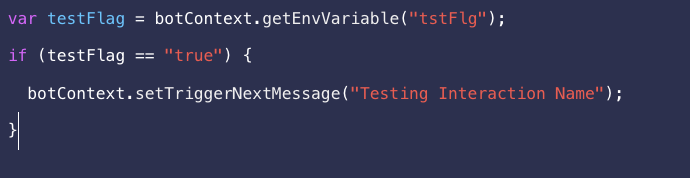
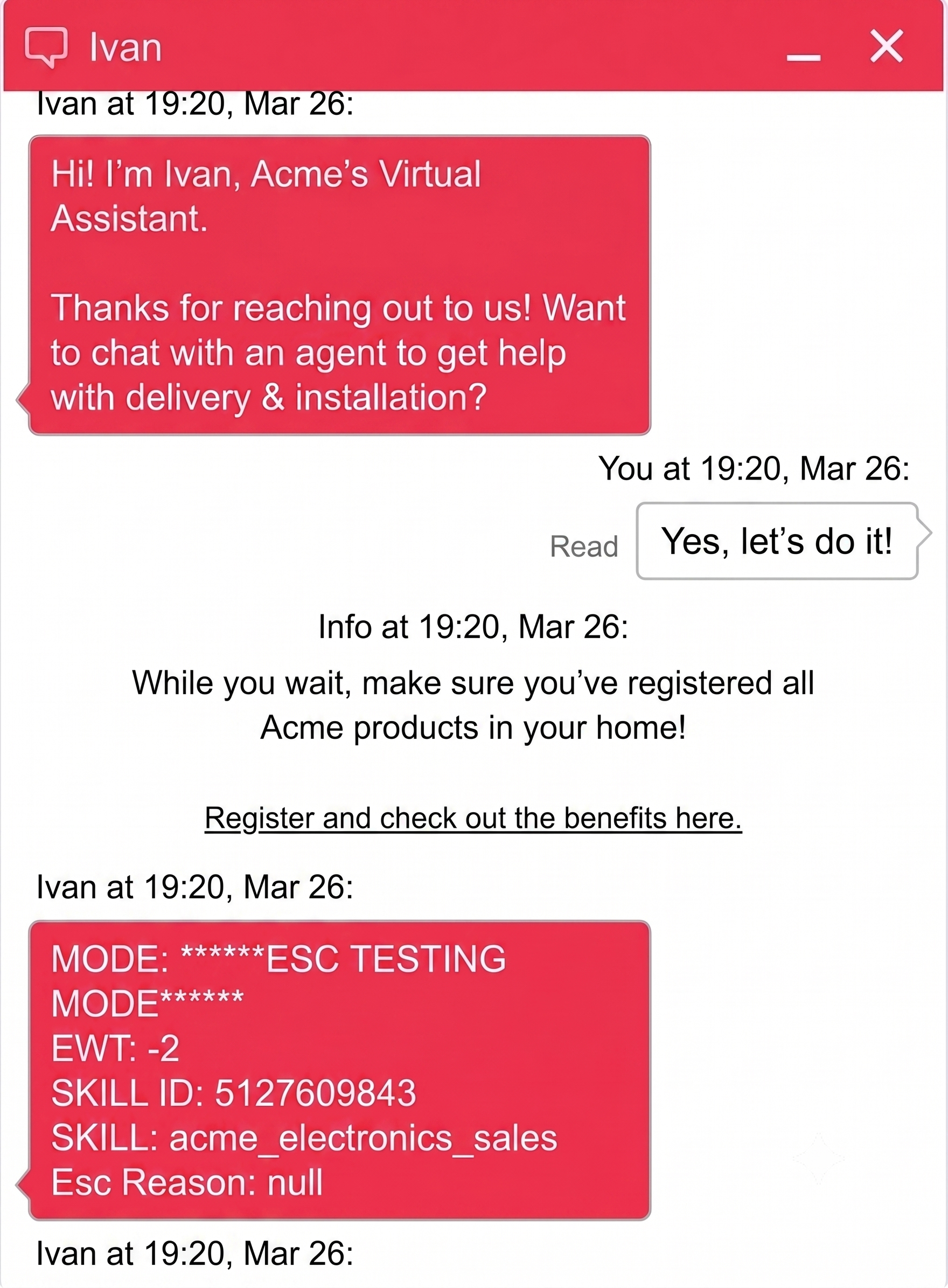
The interaction can display information about the transfer, but it isn't limited to this. Below is an example conversation.
-
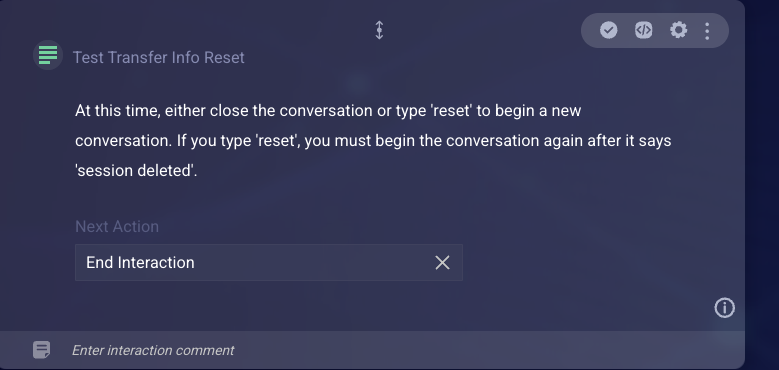
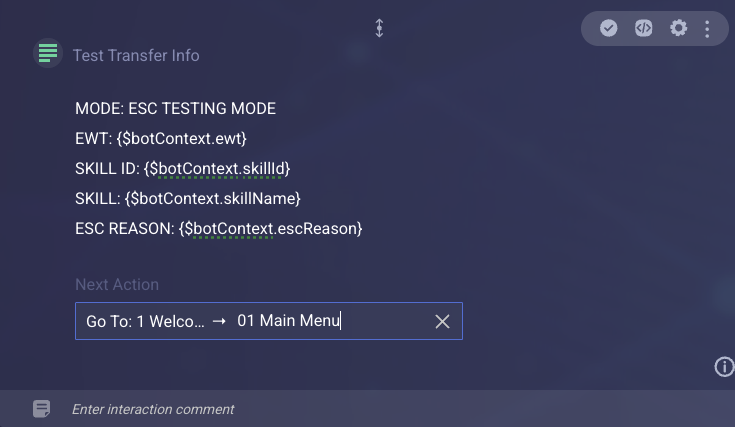
In the text interaction, modify the information sent about the transfer to suit your requirements. Also configure the interaction to route the conversation to the default main menu, or to instruct on how to reset a conversation. Reset can be done by either closing the conversation or typing
reset.
Routing to the main menu
If the bot doesn’t have any variables that must be reset (e.g., info obtained via data gathering), then routing to the main menu after displaying the transfer information can work. Simply set the text interaction's Next Action to point to the main menu.
Closing and resetting the conversation
The text interaction's message should inform the user to type reset to restart the conversation or instruct them to close the conversation. It should also contain text that explains what happens next.